Prompt Managemnt
Manage prompts centrally, fetch versions, and use variables for dynamic prompts
Prompt-Managemnt helps you manage prompts efficiently, retrieve specific versions, and compile prompts with dynamic variables.
Key Features
- Prompt Management: Easily create, edit, and track multiple prompt versions.
- Versioning: Supports major, minor, and patch updates for clear version control.
- Dynamic Variables: Use
{{variableName}}placeholders that are replaced dynamically at runtime. - Statistics: Access download statistics and version history directly from the UI.
Getting started
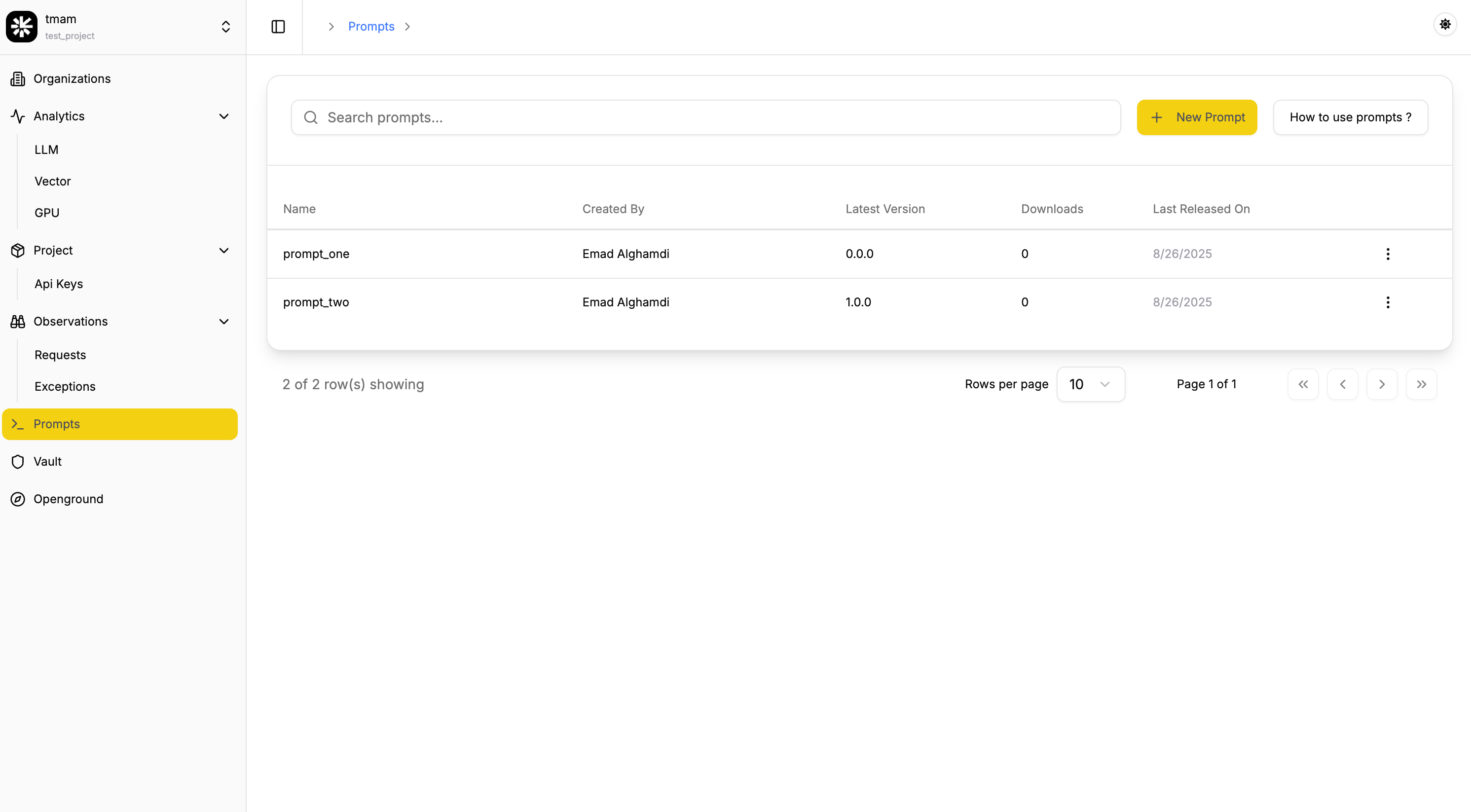
List of Prompts via the UI
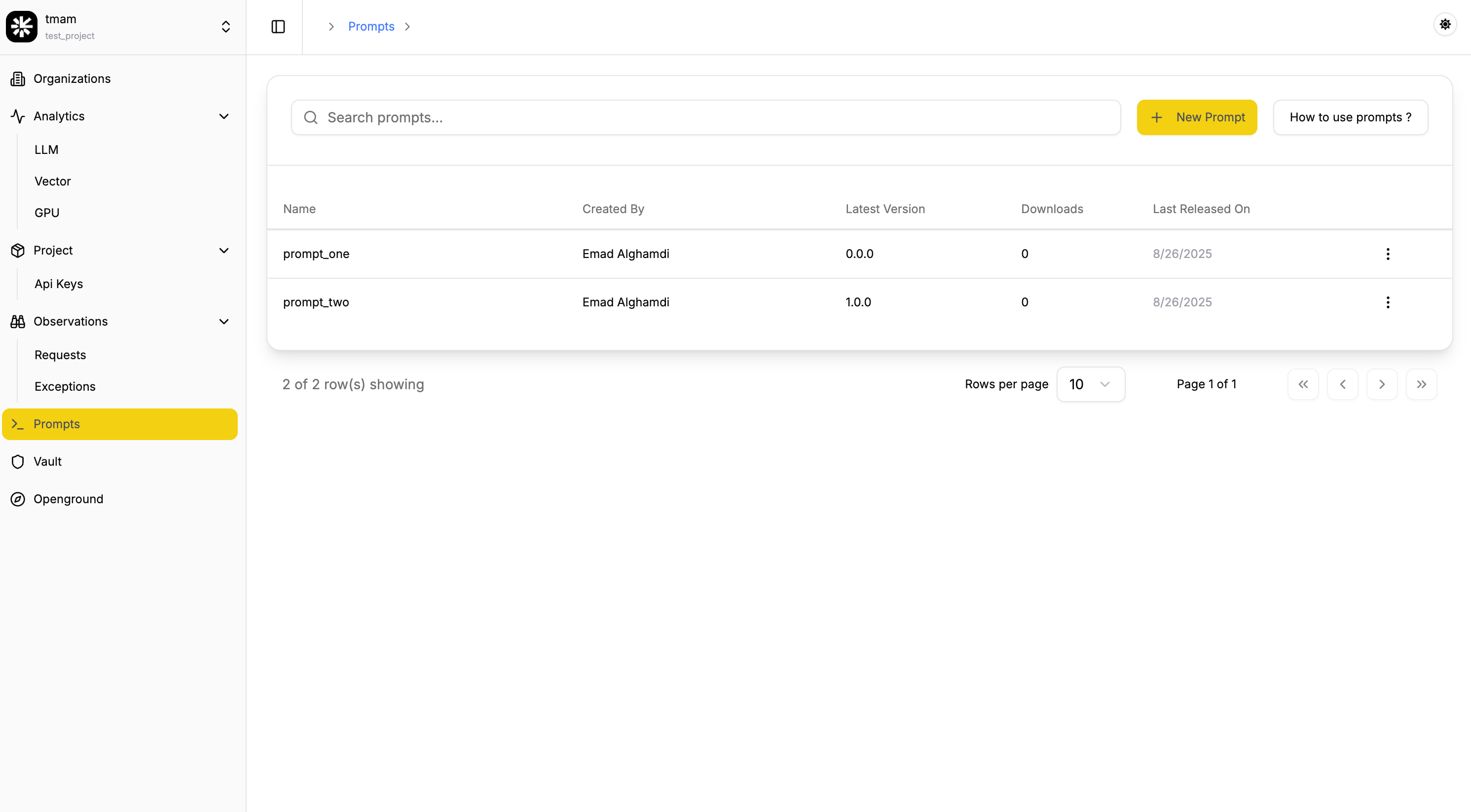
- Get a quick overview of all prompts created.
- Navigate to the Prompt in tmam.
- Explore the available prompts listed.
Create or Edit a Prompt
- Create new prompts or update existing ones.
- Click + New to start a new prompt.
- In the prompt editor, enter the prompt name, add meta properties, and use placeholders (e.g.,
{{variableName}}) to represent dynamic values that will be substituted at runtime. - Assign a draft, major, minor, or patch version when creating or updating prompts for better version control.
View Prompt Details
Once the prompt is creaetd, You can see information about the prompt along with details on all past versions.
Access prompmts via our SDK
First, create an API Key
To authenticate your requests, you need an API key. Here’s how you can create one:
- Go to the tmam.
- Navigate to the API Keys page.
- Click on Create API Key.
- Enter a name for your API key.
- Save the API key displayed. Ensure you store it securely as it will be used for authentication in the SDK.
Then, get prompt using the SDK
Here’s how you can fetch and compile a prompt in Python:
import tmam

response = tmam.get_prompt(
  name="prompt_name",
  prompt_id="prompt_id_from_dashboard",
  label="production",
  version="1.0.0"
)

print(response)
Expected outcome
{
  err: null,
  res: {
      promptId: 'a2e47d3e-6c13-4d7e-8b6e-2f7b91e3d9f4',
      name: 'prompt_name',
      version: '1.2.3',
      tags: [ 'user', 'greeting' ],
      metaProperties: { model: 'gpt4' },
      prompt: 'Hello {{name}}, how are you today?',
      compiledPrompt: 'Hello Ali, how are you today?'
  }
}
SDK Parameters
Below are the parameters for use with the SDK:
| Parameter | Description | Required/Optional |
|---|---|---|
| name | Sets the name to fetch a unique prompt. Use this or prompt_id. | Optional |
| prompt_id | Sets the ID to fetch a unique prompt. Use this or name. | Optional |
| version | Sets the version to fetch a unique prompt. | Optional |
| label | Sets the label (eg: prodution) to fetch a unique prompt. | Optional |
* Either name or prompt_id must be provided.